Prep time: 20minutes. Cook time: 30min. Total cook time: 40min.
Okay maybe not actually 1 hour… but it’s quick. Depending on background on how much tweaking you want to do it can take a lot longer than that. For this app I built the initial ios scaffolding in less than an hour but then refined and tweaked for another 3.
Background
Coding with agents has gotten pretty dang good recently, but building iOs apps is still a pain… A big part of that I think is due to Apple keeping all of their coding tools pretty tight (Xcode in particular). Compared to other IDE’s like Cursor, Antigravity, and Windsurf; Xcode is pretty lackluster when it comes to agentic coding capabilities.
Cursor already had some features that made agentic ios dev possible, but it was still clunky and required some manual configuration. You could use features like:
- VSCode plugins for iOS dev
- Cursor rules (ios developer)
- Cursor docs (Apple UI docs)
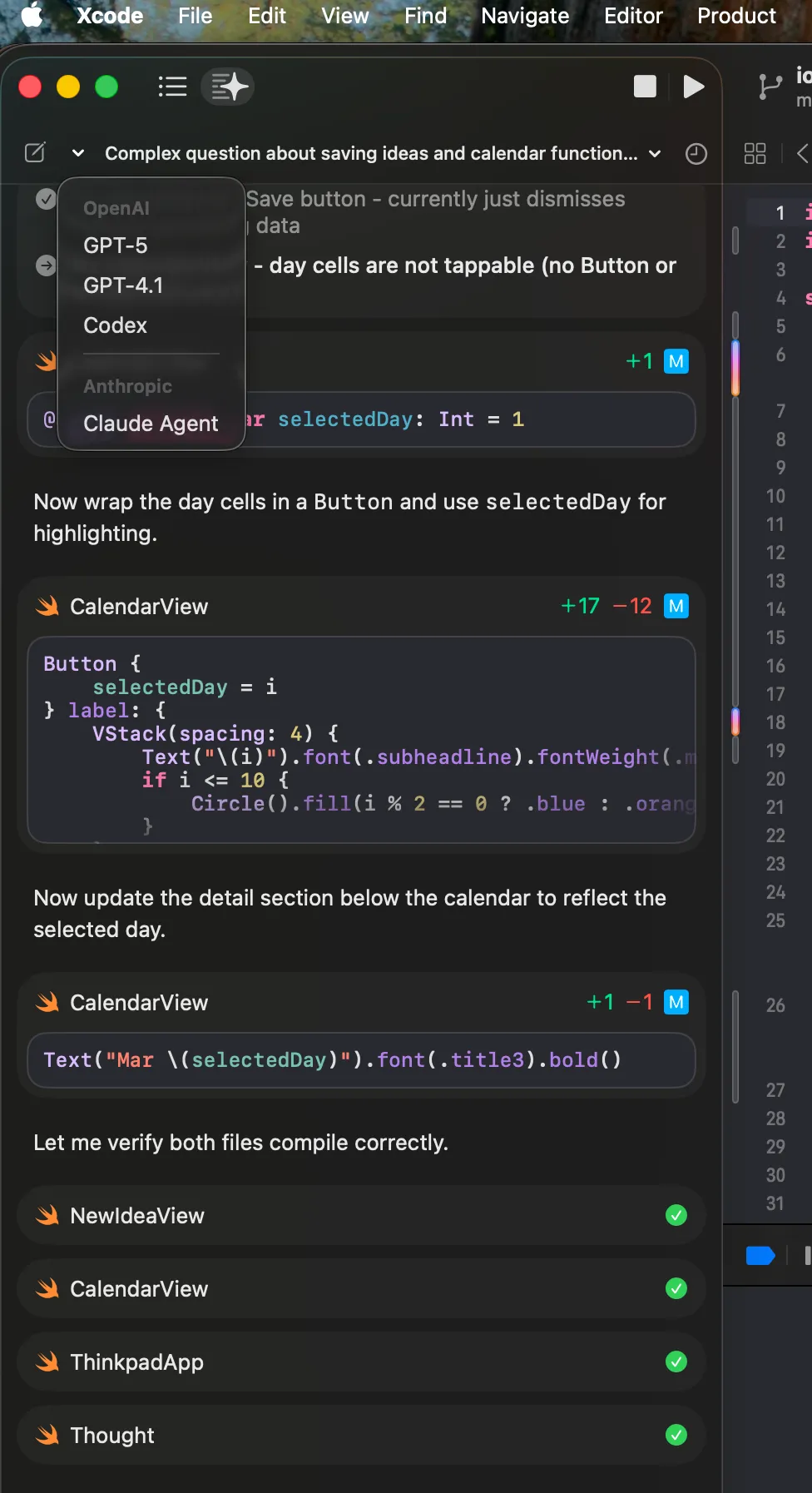
But there’s hope! Apple’s latest Xcode 26.3 release came with new “coding intelligence” features that allow you to connect to coding agents like ChatGPT, Codex and Claude Agent directly within their IDE.
Additionally, they are supporting MCP connections to their xcode build tools so you can integrate with 3rd party coding agents and bypass the Xcode UI.
I wanted to try out these new features. So after some downtime from getting all the necessary updates I was ready to cook!
iOS Agentic Coding Tech Stack
Claude (web) for brainstorming
- Sonnet 4.6 for back and forth iteration
- Opus 4.6 for compiling feedback into comprehensive markdown specs
Google Stitch
- Google Gemini 3.0 Flash
- UI prototyping based on markdown specs from Opus
- Compile different UI views into prototype and download HTML
Xcode (coding intelligence enabled)
- Claude Agent (until limits hit)
- ChatGPT & Codex (once Claude limits hit)
The Experiment - Apple Notes Clone
I wanted to come up with an idea to test the new coding intelligence features shipped with the latest xcode release.
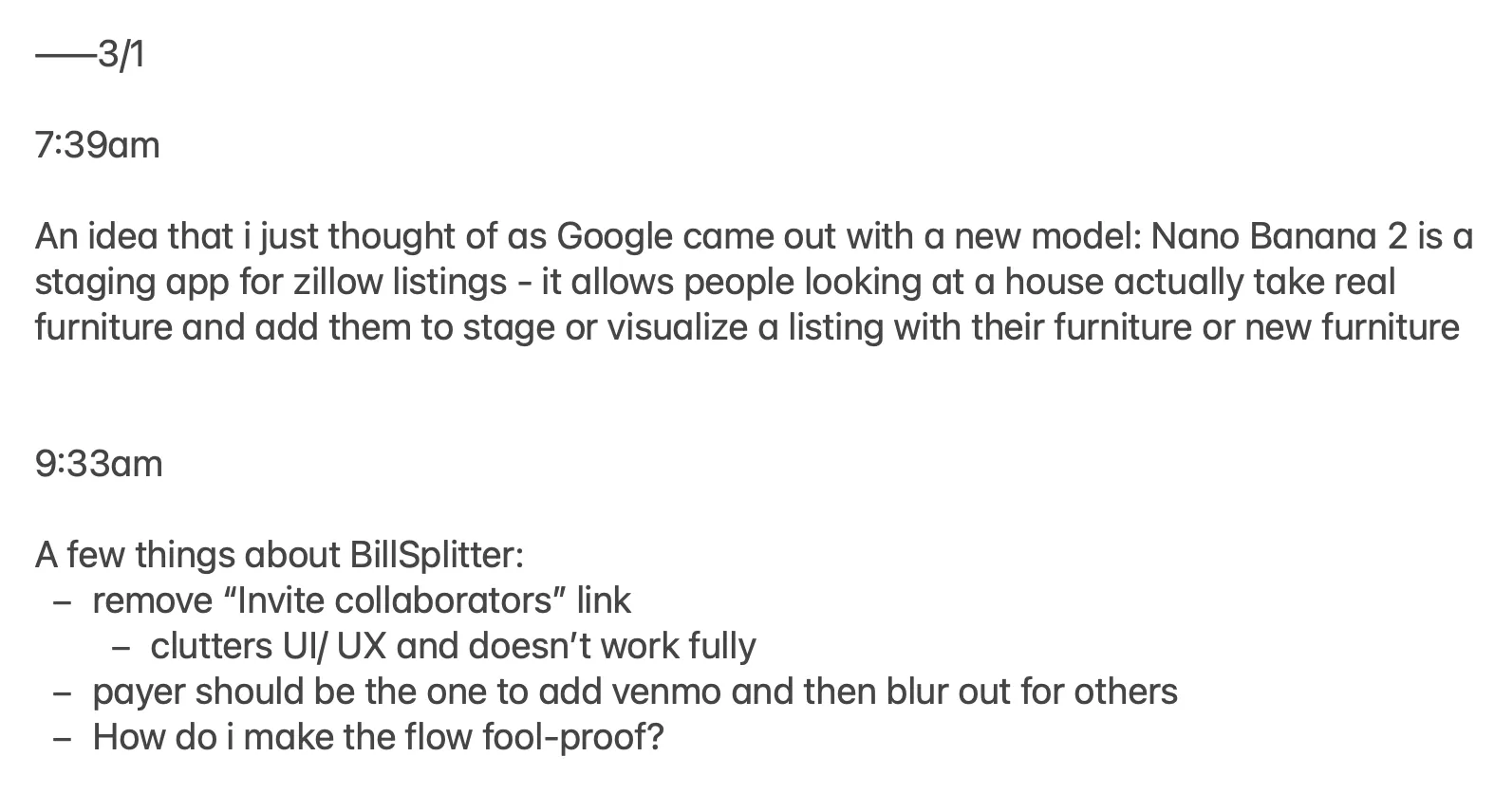
I personally use Apple Notes religiously, adding random thoughts, snippets, ideas everyday as they come up. The main notes I add to are called “Thoughts” and “Ideas”.
My “Thoughts” note is basically a stream of consciousness throughout the day. I try to capture quick thoughts and raw ideas or concepts that I can try to refine later. The structure consists of a manually typed date, timestamp and then the content. This note has gotten quite long since I’ve been adding it to my daily routine.
The other main note I add to is called “Ideas”. This is almost a more refined version of my Thoughts note - with added details and specifics about an individual business/app/project idea. This will consist of a Date, Title of idea, and then description of the idea.
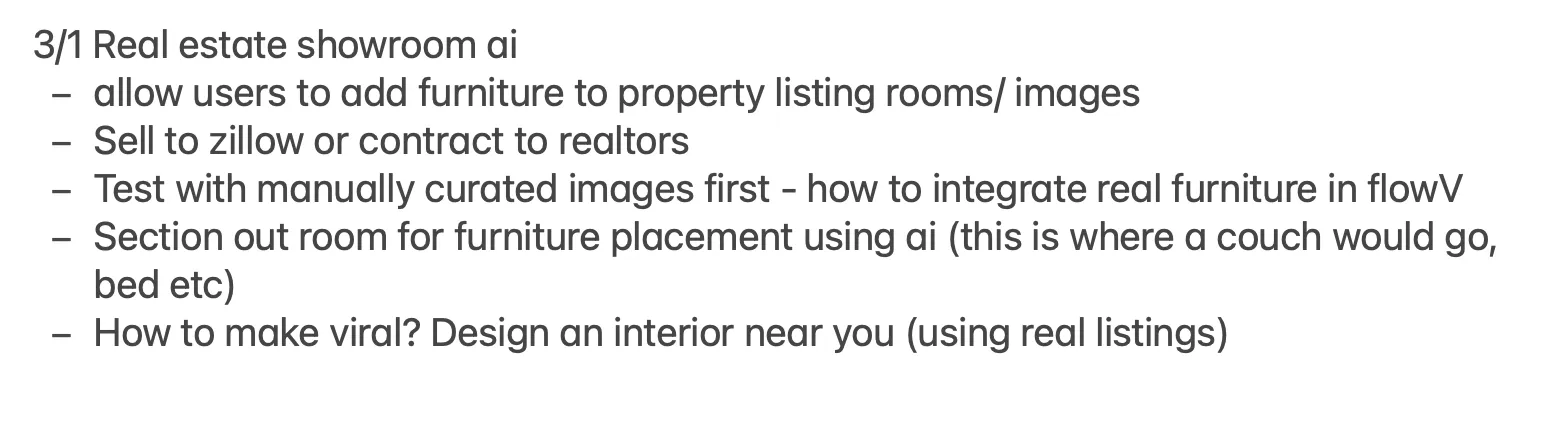
The problem with these 2 long-running notes is that Apple Notes is not purpose-built for these use cases. It requires manual entry of the repeat information and requires me to scroll all the way to the bottom of the note to add to it.
Really not that big of a deal, but I wanted an excuse to build a new app so..
The 1 Hour Process
-
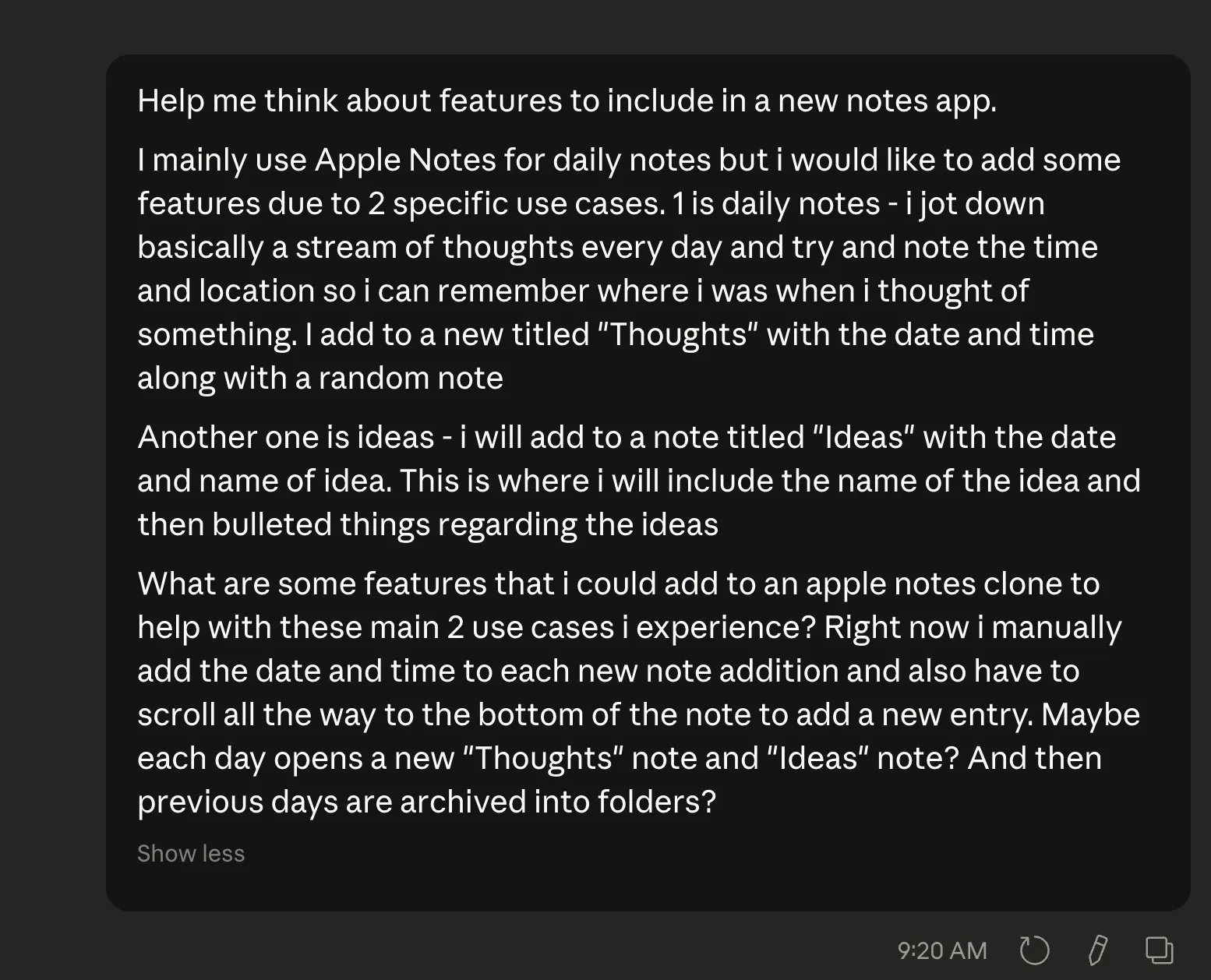
Refine idea and requirements with Claude (Sonnet 4.6)
- Prompt back and forth until you have a solid set of core features and user flows
-
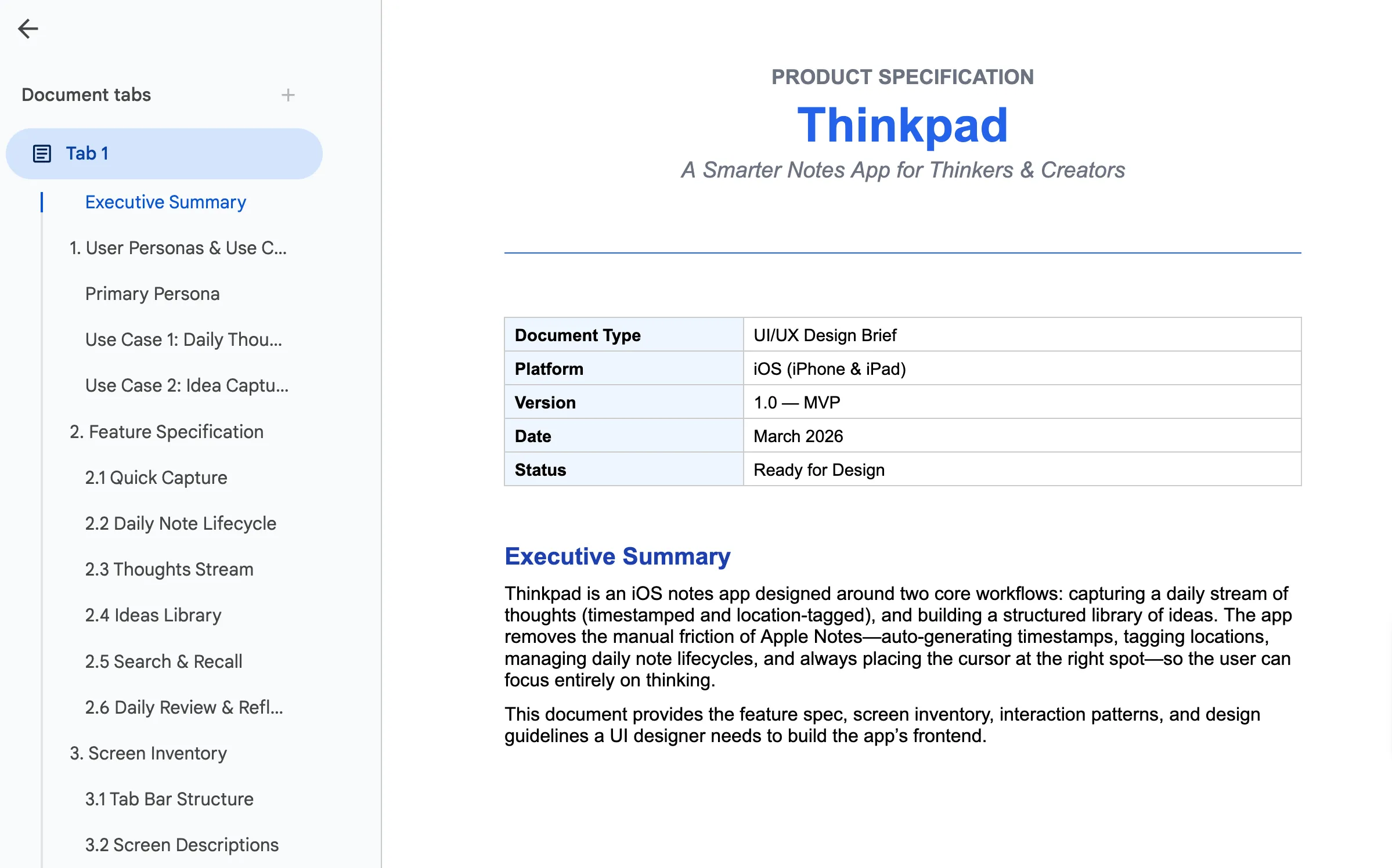
Convert features and user flows into markdown specs (Opus 4.6)
- Prompt Claude to convert feedback into a comprehensive product spec document for a UI designer
-
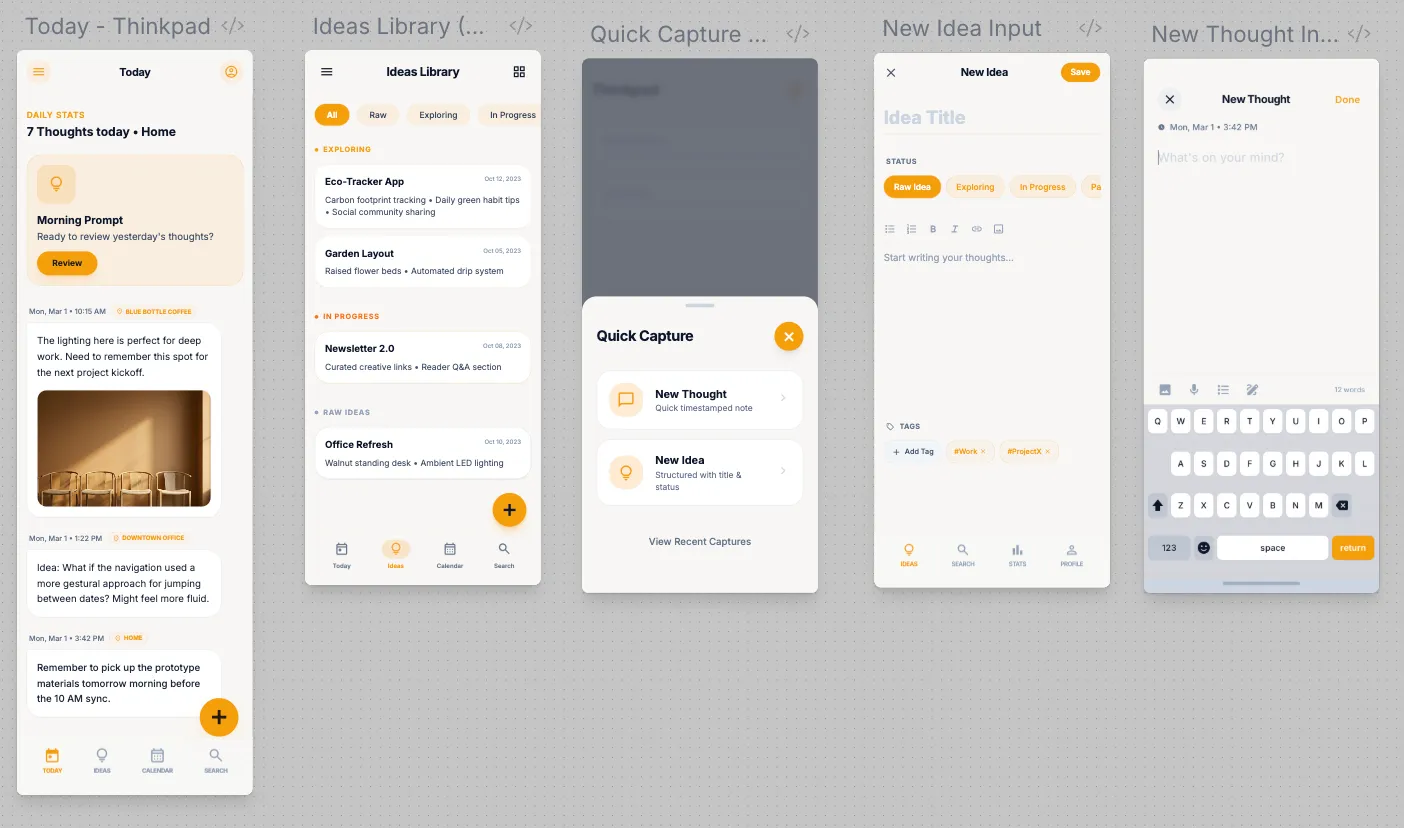
Build UI using Google Stitch
- Using the product spec document provided by Opus 4.6, build the core UI using Google Stitch
- Iterate on each UI element, making sure they are cohesive
-
Create cohesive prototype using Google Stitch
- Use Google Stitch’s feature to generate a prototype
- Download the zip file and unpack the HTML
-
Open project in Xcode
- Move the Google Stitch prototype (clickable HTML app) into the project folder
- Build out the rest of app based on the prototype
-
Keep iterating and tweaking in Xcode!
- download app on phone and keep testing
Voila!! A shiny new app, made by yourself for yourself.
I simplified and condensed a lot of these steps but you get the gist. This process will most likely change within a couple months, but I’m impressed with the quality of the final product.
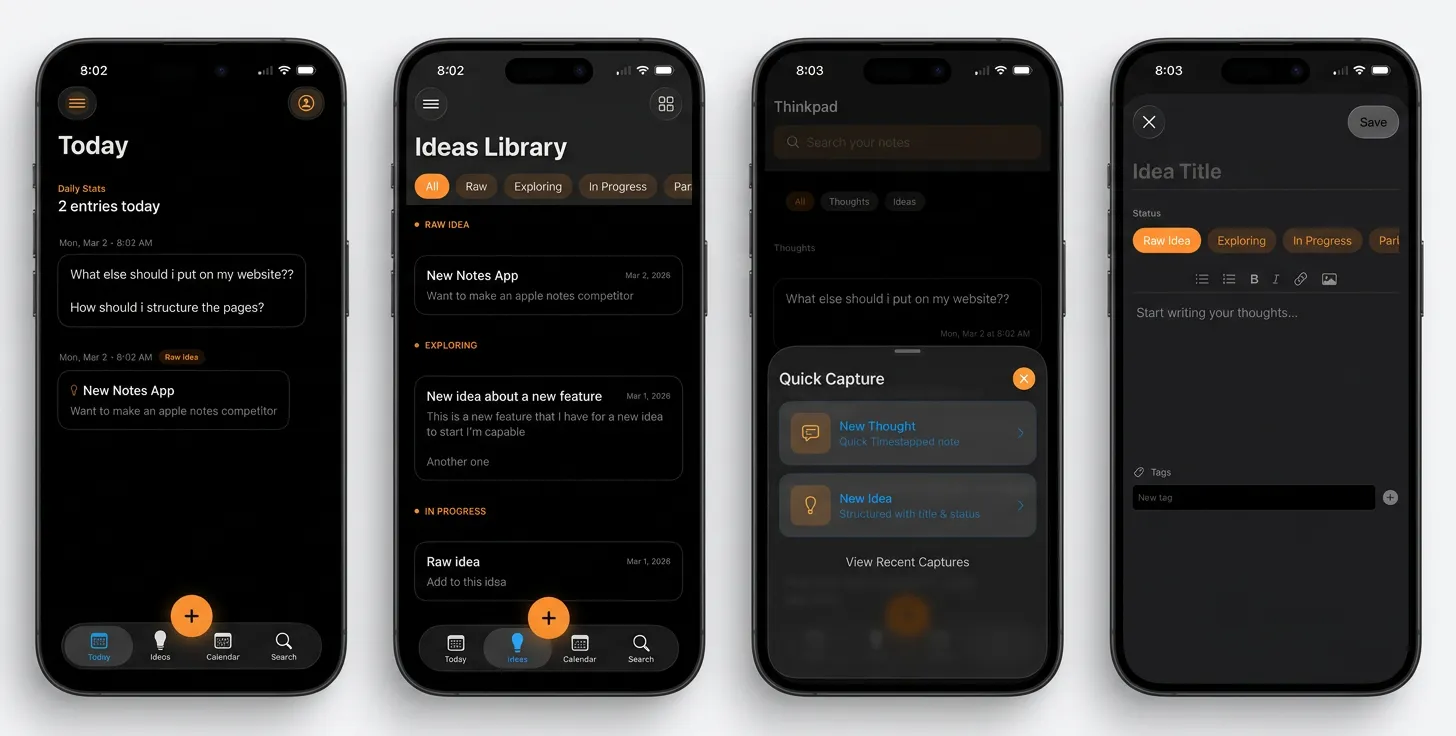
The biggest improvement is the similarity of final app versus the HTML mockup within Google Stitch. You can see it maintained most of the original style.
Final App
Next Steps
I want to experiment with the CLI-MCP connection for Claude Code and Codex, bypassing XCode entirely. I also want to deploy an app on the app store and optimize the entire idea-to-production pipeline using these tools.
Reach out if you have any questions or need help building the app of your dreams!!